3D software review: KeyShot 3

| Applications | Reviews | 12/04/2012 14:12pm
No Comments

The new iteration of Luxion’s renderer features an enhanced interface and workflow, and promises better ease of use. Steve Jarratt investigates…

Price: $995, Upgrade from $395

Other editions:

  • Pro, $1,995
  • Pro Floating Licence, $2,995
  • Animation module, $500

Main features:

  • Real-time interactive HDRI rendering
  • Drag-and-drop materials and backdrops
  • Animation system based on offset transforms
  • Imports a wide variety of CAD formats

Developer: Luxion

Unbelievably, there are people in the world of 3D that don’t want to spend their entire lives fiddling with vastly complex shader trees or node graphs…

Some people – artists working in the world of engineering, automotive design, product visualisation, jewellery, print illustration, and so on – need to open a model, add some materials and view the end result. Which is precisely what KeyShot 3 does.

In truth, KeyShot has done it since it was called HyperShot and published by Bunkspeed, but this latest iteration adds a new layer of user-friendliness, supports a wider range of formats, and now has the ability to create basic animations, which we’ll get to later.

Keyshot render of car

As long as you have access to CAD files and some HDRIs, making images like this is child’s play (lens flares added in post). NRJ concept car by Stelu Harsan

The underlying concept of KeyShot is its real-time renderer, which operates solely using high dynamic range images. There’s no complicated lighting set-up required: just drag and drop your HDR image into the scene and your model’s lighting, reflections and refractions are all handled automatically.

Solid ground

KeyShot also supports an invisible ground plane to catch shadows so your models appear ‘grounded’ in the scene.

These are accurately cast from bright lights, and they really tie the image into the backdrop. An array of tools enable you to move and rotate the object and alter the location, scale and rotation of the HDR image, so you can frame the scene precisely to your liking.

With support for depth of field, dispersion and caustics, KeyShot is great for product shots such as this. Image by Tom Kirkup

Interface improvements

Key to this new release is a raft of interface tweaks. Improvements to the tool bar, material and content libraries, and an app-wide clean-up of menus and dialogs makes this version a much smoother, friendlier experience.

A new library panel shows all the materials currently in use, while the material editor gains an interactive preview and has been overhauled to reduce clutter, with rarely used controls hidden in an ‘Advanced’ panel.

KeyShot certainly now feels like a much more solid, mature program, and the majority of controls and menus are but a keyboard shortcut away (including the panel that shows you what all the keyboard shortcuts are).

New animation feature

Of course, the big news for KeyShot users is the addition of the new (and optional) animation system. Based on offset transforms, the system removes the need for keyframing and the inherent complexity this introduces.

To facilitate this level of animation, every part of a model can now be moved and rotated, either in world or local space, which in itself is useful for creating static, exploded views of your subject.

Cut-and-paste animation

To apply an animation, you simply select the part (either on screen or via the Project panel), then create a translation or rotation offset and set the timing. This animation can then be renamed and pasted to any other relevant part – although this has to be done individually rather than on a selected group. If you select Paste Linked Animation, any subsequent changes made to this offset are carried over to all parts with the animation applied.

KeyShot is largely operated with the main interactive render display, the Project window, Library and a Timeline if you’re producing an animation. Image of Planetary gearbox by Simon M

Each animation appears as a block on the timeline, which can then be edited in a non-linear fashion; moved to any point in time, and lengthened or shortened to affect its duration. The ability to group animations into folders for editing en masse is a real help when you start accumulating lots of animation blocks across a multitude of parts, but assuming you’ve organised everything properly, finessing the timing is really very easy.

Each animation appears as a block on the timeline, which can then be edited in a non-linear fashion

Because of the way you apply animation offsets to individual parts, the ease of the process is largely reliant on the quality of the structure of your model. Some CAD models imported were simply a list of parts, sometimes with multiple sections to one part, while some were neatly named and grouped. If you have animation in mind, it’s best to have your model as organised as possible – you won’t thank the modeller when you’re animating your 50th bolt of the day.

Still some work to do

The one feature I’d like to see is the ability to group parts into folders and sub-folders in the Project panel. Parts appear as entries in a list (often a very lengthy one with no real hierarchies), and while these can be [Shift]-selected and have materials applied collectively, it would be far nicer to group multiple items into user-defined folders.

You could then apply a material or animation to this folder and have it propagate to the parts within, overcoming the problem of CAD files that arrive with individual parts split into smaller components (or even individual polygons in some cases). Luxion says it’s addressing this flaw in the upcoming version 3.1.

Similarly, the addition of nested animations or parent/child links should be on Luxion’s to-do list. If your model doesn’t contain a proper hierarchy, it’s hard to animate complex interdependent mechanisms using the existing system.

Top results in less time

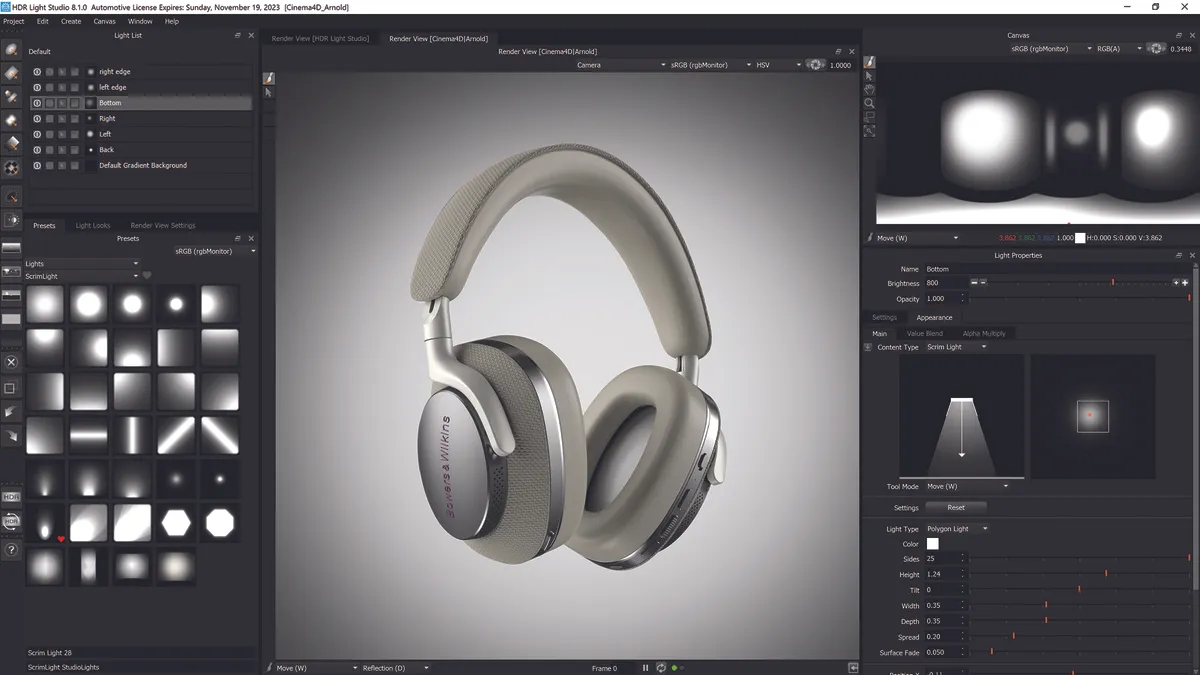
A lot of the quirks and irritations of earlier versions of KeyShot have been removed, and it’s now easier and quicker to use, with rapid access to all facets of the program. The speed and quality of its renderer have never really been in doubt, so now you can arrive at top-quality results in even less time. With a suitable collection of HDR images – or an app such as HDR Light Studio, which now plugs right in to KeyShot – generating beautiful-looking, photorealistic renders is stupidly easy. And with he ability to output animations you can present your creations in an even more professional light.

The speed and quality of its renderer have never really been in doubt, but now you can achieve top-quality results in even less time

However, you could reasonably argue that the animation system should be an integral part of the upgrade, rather than a $500 option. Indeed, the overall pricing feels a little steep compared with other 3D suites that feature high-quality real-time renderers, plus a variety of modelling and animation tools – the only thing missing from its competitors is the native support for CAD formats that KeyShot has.

So there are a few rough edges in KeyShot 3, and there’s still room for improvement in the interface and workflow, especially with complicated, multi-part objects. The animation system also has plenty of room to evolve and expand, too, but this release marks another solid step forward for KeyShot. Luxion adds that you can expect more HDRI controls and and new lights in version 3.1.

Verdict

PROS

  • Animation is easy to set up and tweak
  • Extensive material presets and HDR library
  • UI improvements really speed up workflow

CONS

  • Complex models can be tricky to organise
  • Expensive compared to mainstream apps
  • Animation system is quite rudimentary

KeyShot is an absolute doddle to use, and it produces lovely renders, but it relies on models that have been carefully organised

About the author
Steve Jarratt is an award-winning journalist with two decades of experience. He’s also the former editor of 3D World and a big LightWave enthusiast.


Posted on Thursday, April 12th, 2012 at 2:12 pm under Applications, Reviews. You can subscribe to comments. You can leave a comment, or trackback from your own site.

Tags: , , , , ,

Share This Page